
Animated TikTok LIVE overlay for gifts and viewer events
Add a virtual pet overlay that reacts when viewers send gifts, follow, like, share, chat, or join your TikTok LIVE. Try the demo, then add the overlay to TikTok LIVE Studio, OBS, or Streamlabs.
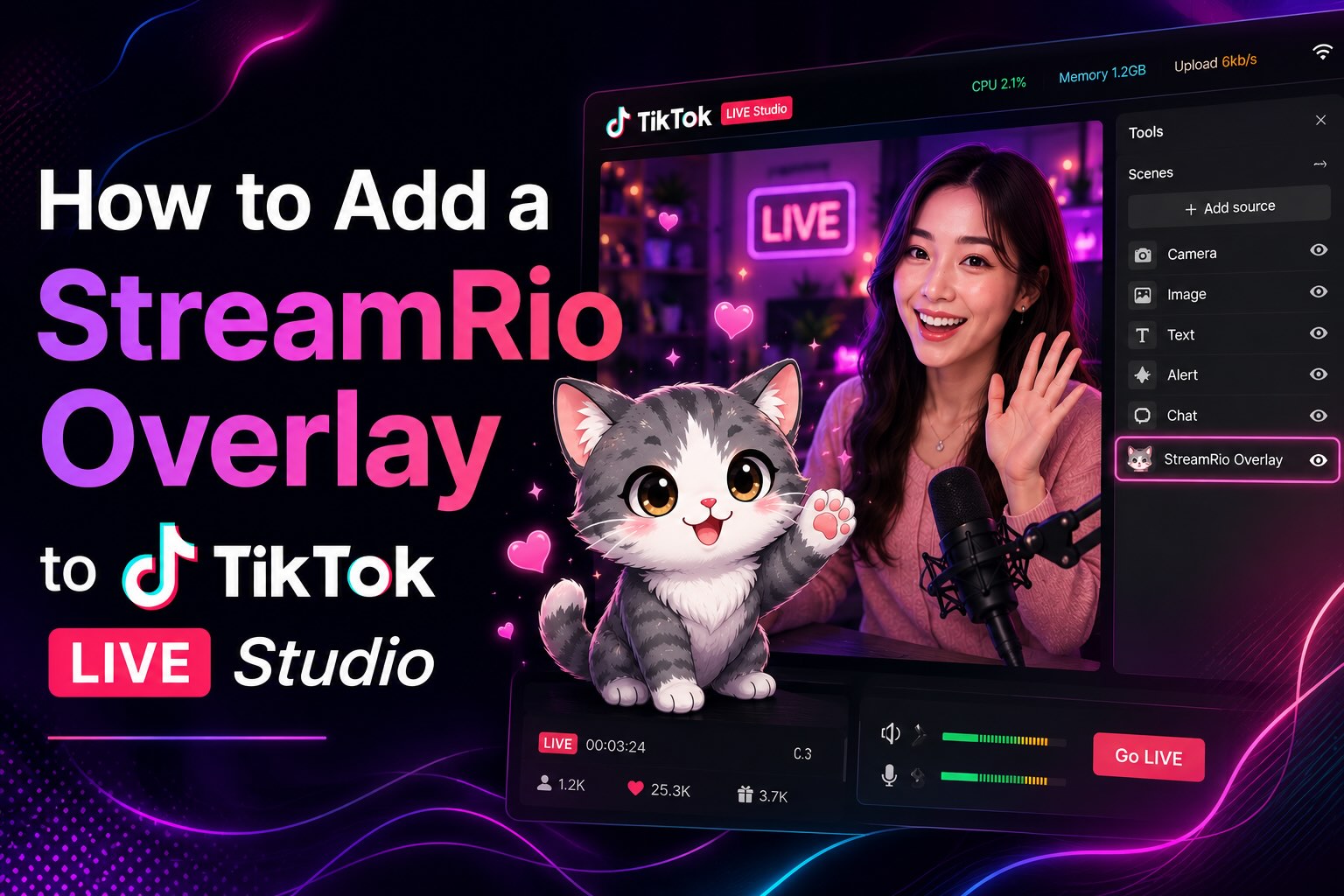
Try your TikTok LIVE sidekick before you go live
Choose a character, then trigger a viewer event. See the reaction inside a live scene—no account required.
Choose a viewer event to preview an animation.
What is a TikTok LIVE overlay?
A TikTok LIVE overlay is a visual layer placed over a live video. StreamRio adds an animated virtual pet that can remain in the scene and respond when viewers send gifts, follow, like, share, chat, or join the LIVE.
What is the best TikTok LIVE overlay for gifts?
For gift-focused streams, use an overlay that can react to different gift types or gift values. StreamRio turns TikTok LIVE gifts into animated virtual pet reactions, so a Rose can feel different from a Galaxy or another high-value gift.
How do I add a TikTok LIVE overlay to TikTok LIVE Studio?
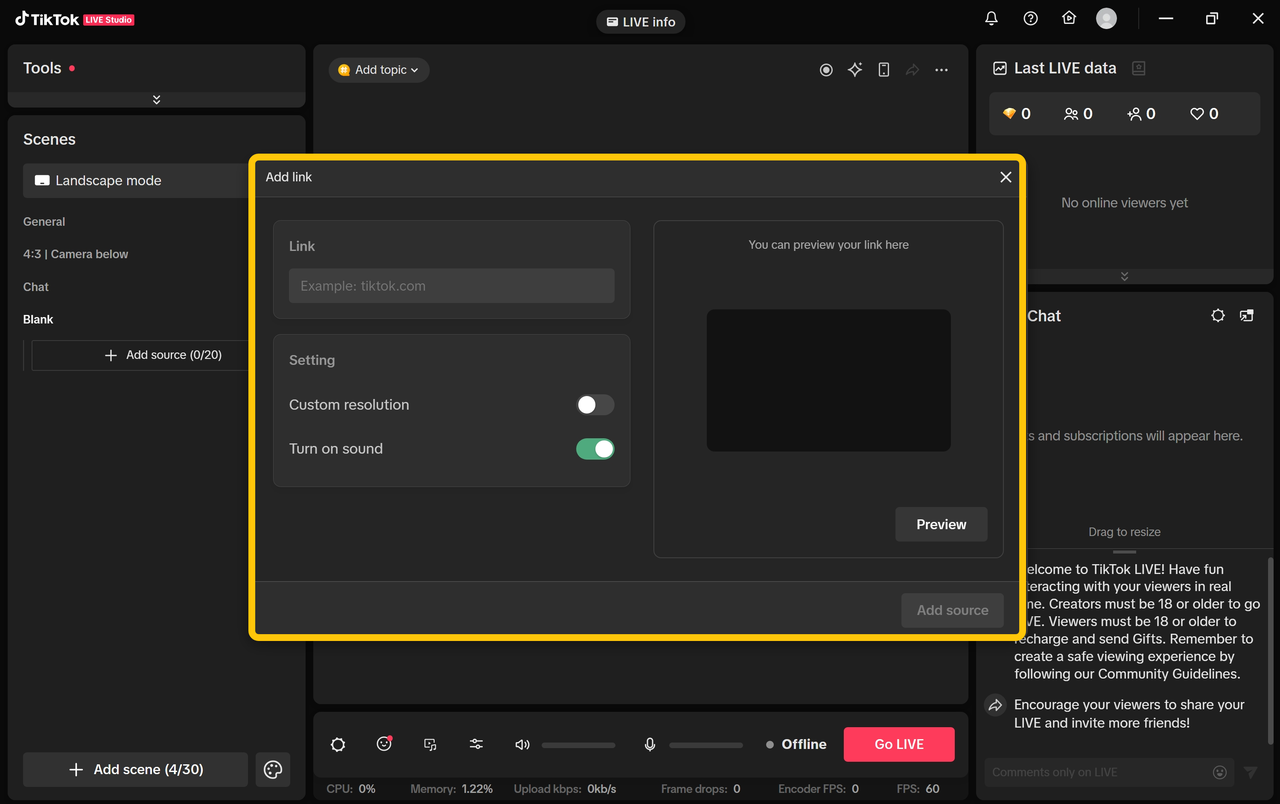
Create a private StreamRio overlay URL, add it as a Link source in TikTok LIVE Studio, keep the background transparent, then resize the source in your scene.
Can a TikTok LIVE overlay work in OBS?
Yes. StreamRio is a browser-source overlay, so the same private overlay URL can be used in OBS, Streamlabs, and other production tools that support web sources.
Built for creators who want more than static TikTok overlays
StreamRio is most useful when the overlay should feel alive during the LIVE, not just sit on top of the video as a static frame.
Gift reaction overlay
Use different animations for everyday gifts, high-value gifts, and special campaign moments.
Virtual pet sidekick
Keep a character on screen as a lightweight companion that reacts without covering the creator.
TikTok LIVE Studio setup
Add StreamRio as a transparent Link source and position the character inside your scene.
OBS or Streamlabs browser source
Use the same overlay URL in OBS, Streamlabs, Prism Live Studio, XSplit, or similar tools.
Turn TikTok LIVE activity into visible reactions
Each supported event can use its own character animation and message, so small interactions and major gift moments do not need to look the same.
| Event | Example | Overlay response |
|---|---|---|
| Gift | Rose, Galaxy, or another LIVE gift | Map gifts or gift values to different animations |
| Follow | A viewer follows during the LIVE | Play a welcome, clap, heart, or invite reaction |
| Like | Likes or like milestones | Celebrate engagement without a full-screen interruption |
| Share | A viewer shares the LIVE | Thank viewers who help distribute the stream |
| Chat | Supported chat activity | Use a character response for community moments |
| Viewer join | A member enters the LIVE room | Give new arrivals a visible welcome |
Add the overlay as a Link source
Copy the private overlay URL from StreamRio, add a Link source in TikTok LIVE Studio, keep the background transparent, and position the character inside your LIVE layout.
- 1Choose a character and configure TikTok LIVE reaction rules.
- 2Copy your private StreamRio overlay URL from the dashboard.
- 3Add the URL as a Link source in TikTok LIVE Studio or a Browser Source in OBS.
- 4Keep the source transparent, resize it, and test gift, follow, like, share, join, and chat reactions.
TikTok LIVE overlay options, compared
Use StreamRio when you want an event-reactive browser-source overlay, especially for gift and viewer engagement moments.
| Gift-triggered animations | Yes — map gifts or values to reactions |
|---|---|
| Follows, likes, shares, joins, and chat | Yes — use separate rules for each event type |
| TikTok LIVE Studio | Yes — add as a Link source |
| OBS and Streamlabs | Yes — add as a browser source |
| Virtual pet or animated sidekick | Yes — StreamRio is built around animated characters |
| Static PNG-only overlay | No — StreamRio focuses on event-reactive overlays |
Common TikTok overlay setup issues
The overlay is not visible
Check that the Link or Browser Source uses your private StreamRio overlay URL and that the source is placed above your camera/game layer.
The background is not transparent
Use the browser-source overlay URL rather than a screenshot or normal web capture, and avoid adding a solid-color background in your scene.
Gift reactions are not firing
Confirm the TikTok account is connected, the creator is live, and the matching gift or event rule is enabled in StreamRio.
The overlay works in preview but not live
Refresh the source, check account connection status, and keep the overlay URL private so it is not reset or regenerated unexpectedly.
TikTok LIVE overlay questions
What is a TikTok LIVE overlay?
A TikTok LIVE overlay is a visual layer added to a live stream. It can show branding, alerts, goals, chat elements, or animated characters. StreamRio focuses on an animated virtual pet that reacts to TikTok LIVE viewer events.
Can TikTok LIVE gifts trigger an overlay animation?
Yes. StreamRio can map supported TikTok LIVE gifts or gift values to different animated character reactions.
Does StreamRio work with TikTok LIVE Studio?
Yes. Add the private StreamRio overlay URL as a Link source in TikTok LIVE Studio and keep the source background transparent.
Can I use the same overlay in OBS or Streamlabs?
Yes. StreamRio is a browser-source overlay, so the same setup pattern works in OBS, Streamlabs, and other software that supports web sources.
Can I test the TikTok overlay before going live?
Yes. You can preview characters and test reaction rules in the StreamRio dashboard before connecting production LIVE events.
Is this only for TikTok LIVE gifts?
No. Gifts are the most obvious use case, but StreamRio can also react to follows, likes, shares, chat, and viewer joins.
What makes StreamRio different from a static TikTok overlay?
A static overlay usually stays the same during the stream. StreamRio is event-reactive: the animated character can respond when viewers interact with the LIVE.